









MiFuny Wireless 3-Button CAD Mouse with Scroll Wheel UG Modeling Drawing Custom Genuine Product Office Macro Mouse for Laptops
SPECIFICATIONS
Battery Included: Yes
Certification: CE
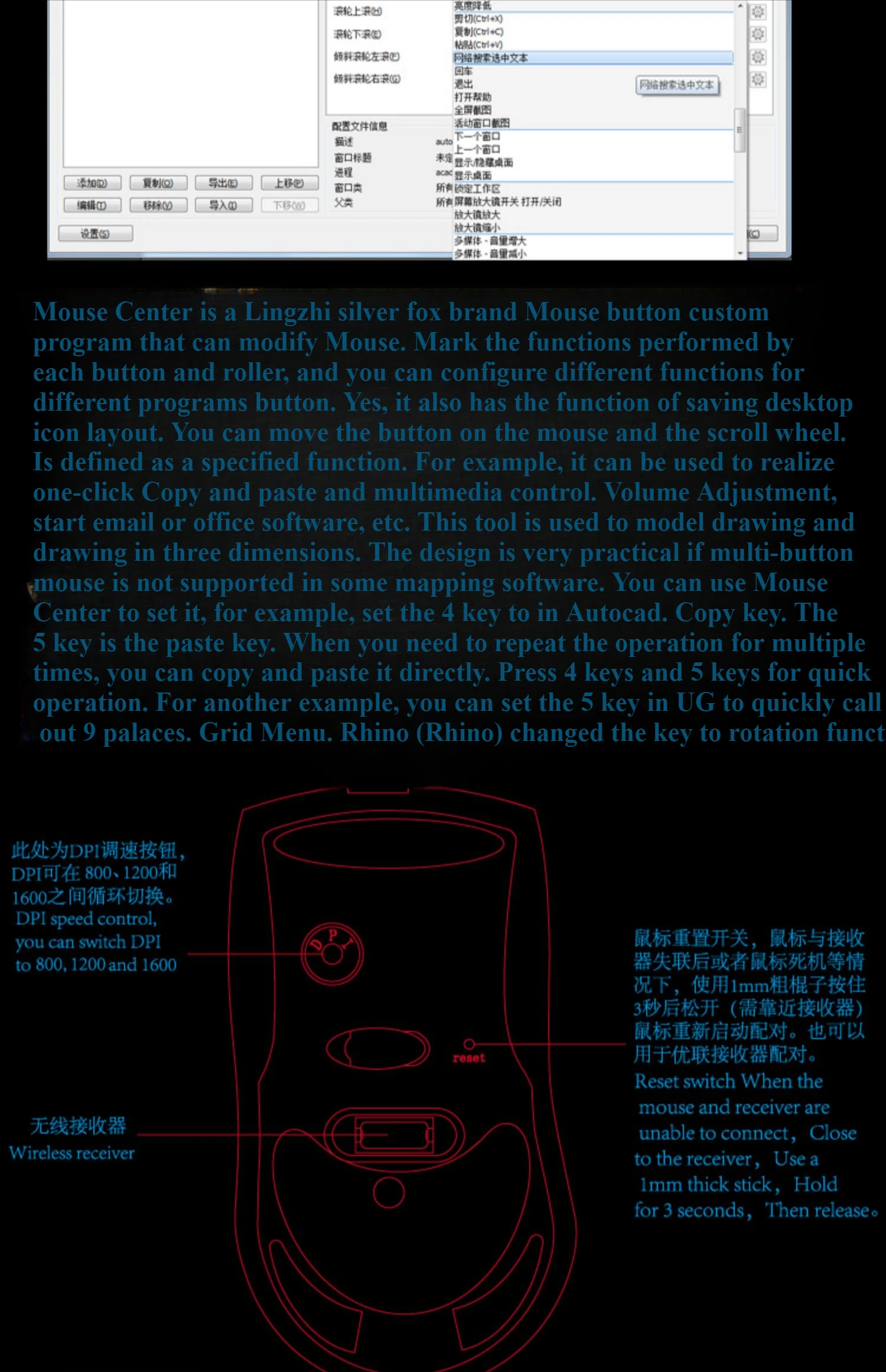
DPI: 1600
Feature1: cad mouse
Feature23: Three-button mouse
Feature4: cad mouse 3d
Feature5: professional 3d cad mouse
Feature6: 3d mouse cad
Feature7: mouse
Gross Weight: 60
Hand Orientation: Right
High-concerned chemical: None
Interface Type: USB
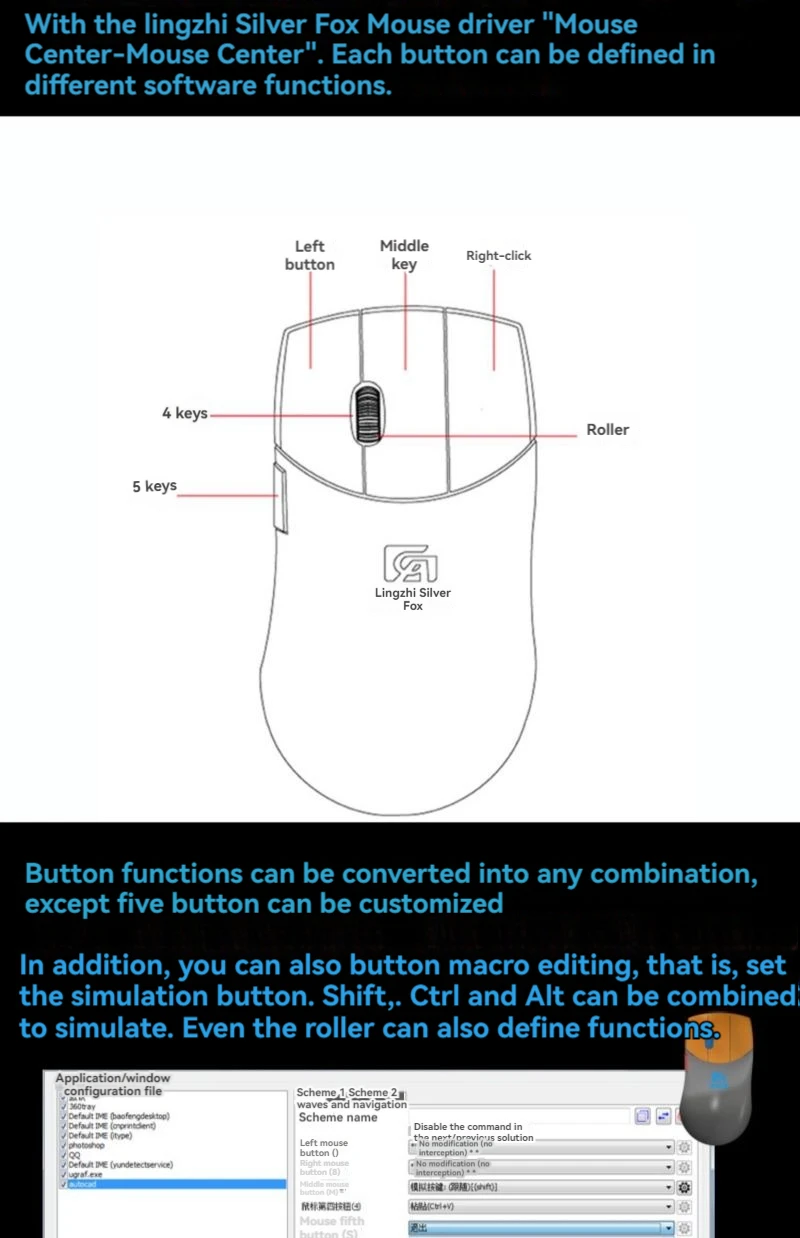
Number of Buttons: 5
Number of Rollers: 1 pcs
Operation Mode: Opto-electronic
Package: Yes
Power Type: Rechargeable
Type: 2.4Ghz Wireless
MiFuny Wireless 3-Button CAD Mouse with Scroll Wheel UG Modeling Drawing Custom Genuine Product Office Macro Mouse for Laptops
Specifications
Product name: wireless mouse
Color:white/black color
Material: plastic
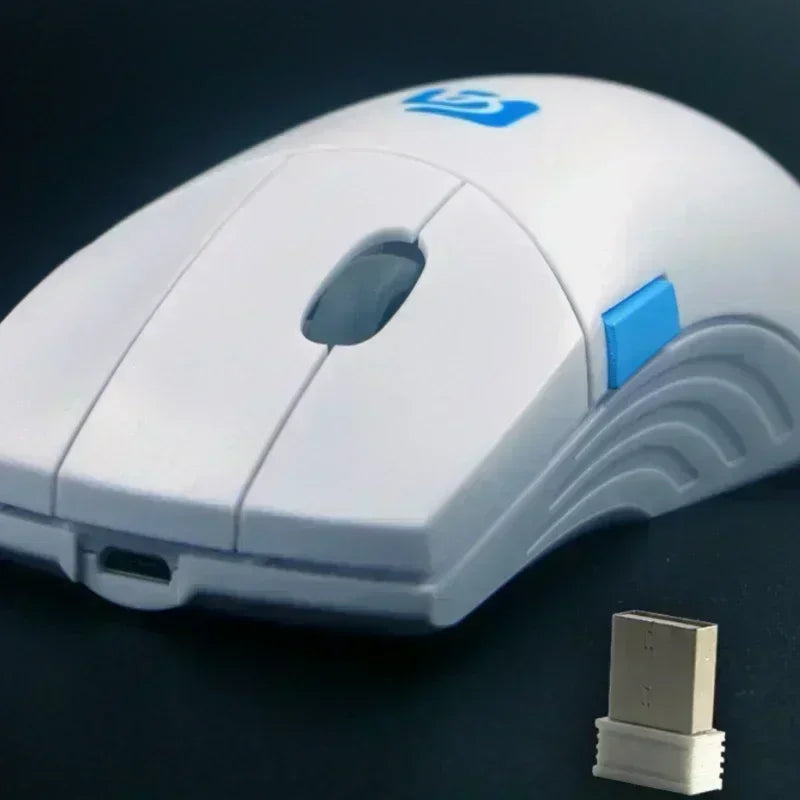
Package includes:wireless mouse
Product weight:80g
Connect ways : 2.4G wireless
Number of keys :5keys
Support systems : Wired mode: Windows 7/8/10 or macOS10.14.6 or above. USB receiver mode: Windows 7/8/10 or macOS10.14.6 or above. Bluetooth mode: Windows 10 1809 Build 17763 or macOs 10.14.6 or above.
Function
1.80 million key strokes
2.This mouse only in win7/win10/win11 test qualified to use (macos system no matching driver, can not use the driver to adjust the mouse)
3.Special surface, environmental public welfare, wear-resistant, non-slip
4.energy saving and power savin
-
5. Weight 80g, light and portable, ergonomic design.
6.Package Included:
1X Wireless mouse
1X User Manual
1X Charging line
Notes
1.We can dropshipping and wholesale, you can click the exclusive link to get information
2.If you need any other Wireless Keyboard Set that we don't have on display, feel free to contact us
Note:Please charge the mouse first after receiving the goods,this model of mouse charging must be turned to the ON position for normal charging
When using a mouse, please unplug the USB receiver at the bottom of the mouse and insert it into the working computer, aThen turn on the switch at the bottom of the mouse,so that the working computer can recognize the mouse normally.